Nous vous conseillons personnellement
Directement accessible pour les clients particuliers et professionnels.

Nous sommes heureux d'être là pour vous!
Du lundi au vendredi : de 9h00 à 14h00
inkl. MwSt. Versandkostenfrei
Téléchargement immédiat + clé de produit
Contenu de la livraison
- Téléchargement immédiat & clé originale par e-mail
- Activation sécurisée : garantie d'utilisation à long terme
- Instructions simples : installation et activation
- Facture transparente : TVA incluse
- Référence : FR-ID-90868
- Champ libre 1: Nouveau
- Appareils: 1 PC
- Durée de validité: Validité permanente
- Langue: Toutes les langues
- Zone de pays: Dans le monde entier
- Mode d'expédition: Courrier électronique
- Fabricant: Microsoft

Microsoft Visio 2013 Professional: a complete solution for creating and viewing business diagrams
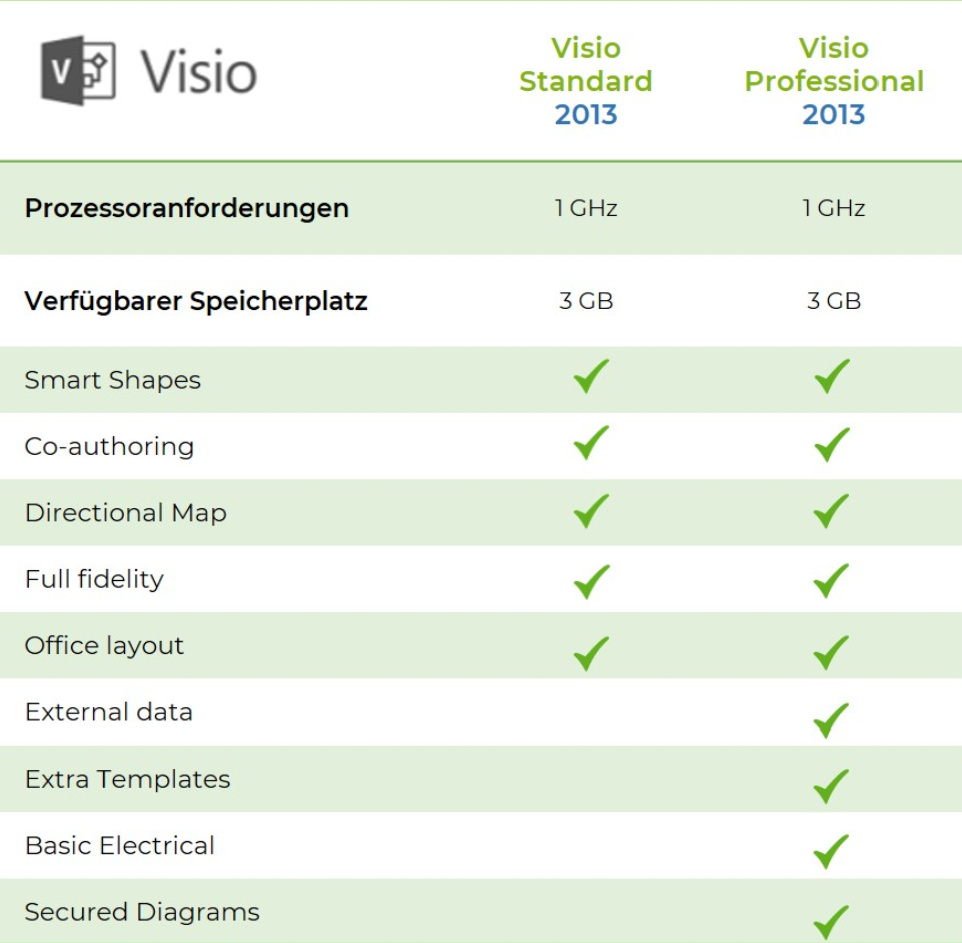
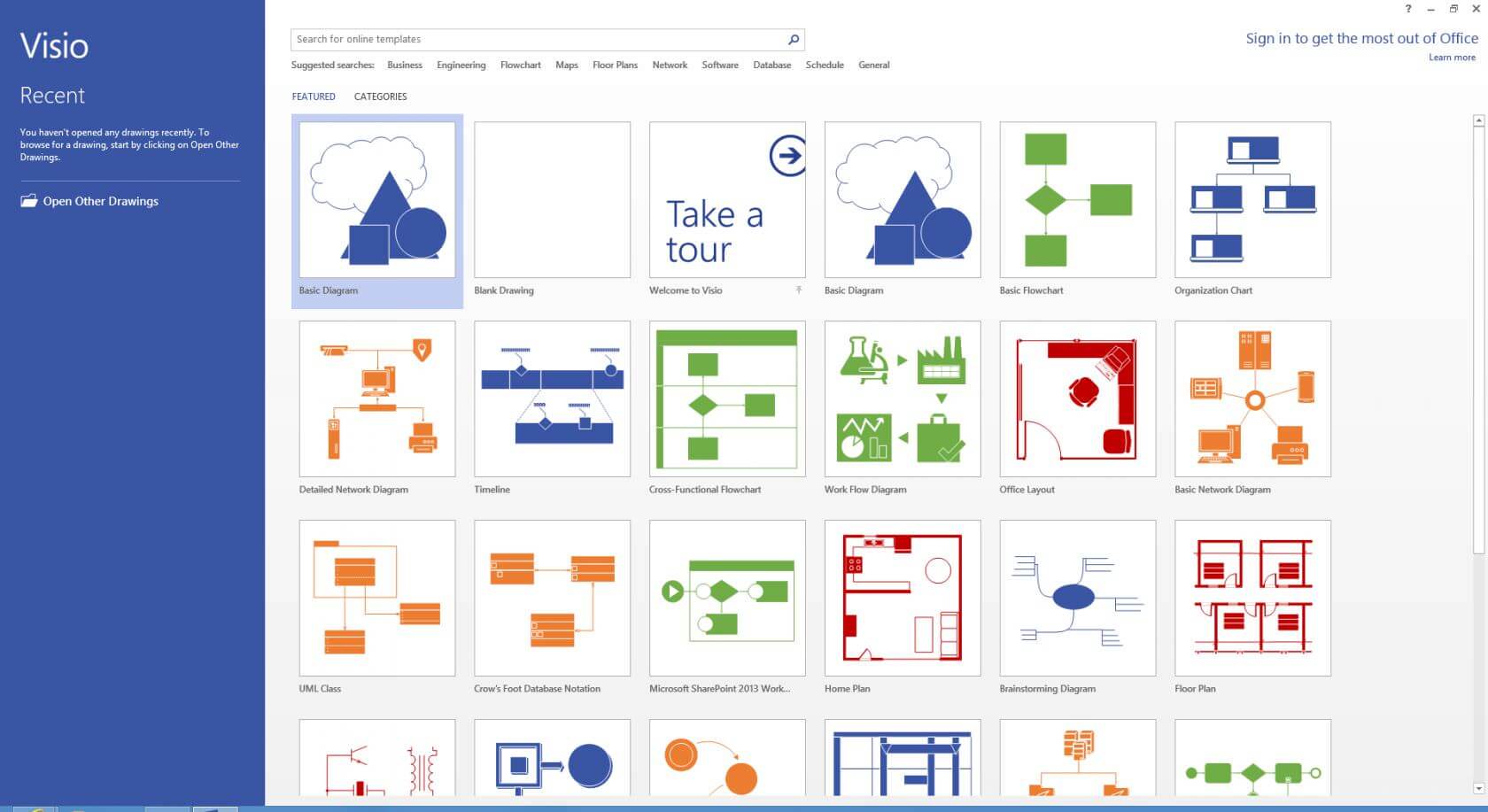
Microsoft Visio 2013 Professional is powerful software that allows users to create a range of visual representations such as diagrams, flowcharts, organization charts, network diagrams, and schematics. It has been designed specifically for use in business environments and offers a wide range of features for organizing and visually presenting complex information. One of the key features of Microsoft Visio 2013 Professional is the numerous templates available for different industries and use cases. Users can choose from a range of ready-made templates covering, for example, process flows, computer networks, organization charts, UML diagrams, and data flow diagrams. The program also allows you to integrate data visualization. Users can integrate data from various sources, such as Excel, Access, and SQL Server, directly into their diagrams. This allows information to be presented in a visually appealing and easy-to-understand way. Another useful feature of Visio 2013 Professional is smart shapes. These shapes can automatically create connections between elements and adapt to changes in the diagram structure. This makes it easier to create diagrams and saves time.
Visio 2013 Professional supports real-time collaboration, allowing multiple users to work on a diagram at the same time. You can also add comments and annotations to share feedback and suggestions. The software integrates seamlessly with other Microsoft products such as Excel, PowerPoint, and SharePoint. Users can embed diagrams in other documents or import diagram data from other applications. Visio 2013 Professional offers extensive customization options. Users can customize the user interface, create their own templates and shapes, and adapt the appearance of diagrams with various design options.
In summary, Microsoft Visio 2013 Professional is a comprehensive solution for creating and viewing diagrams in business environments. With its powerful features, customization options, and seamless integration with other Microsoft products, Visio 2013 Professional is an indispensable tool for users who want to present complex information in a visually appealing and easy-to-understand way.
Who is Microsoft Visio 2013 Professional suitable for?
Microsoft Visio 2013 Professional is an advanced version of the popular Visio diagramming software, suitable for a wide range of users, particularly businesses and organizations that need to create complex diagrams and visualizations.
Some of the main target users of Microsoft Visio 2013 Professional are:
- Businesses: Visio is particularly useful for businesses that need to create complex processes, flowcharts, organizational charts, and other types of diagrams to visualize workflows, document business processes, and develop business models.
- Engineers and architects: Visio is also suitable for engineers and architects who need to create technical drawings, diagrams, and plans. Visio offers a range of tools and features developed specifically for this type of application.
- IT professionals: Visio can also be useful for IT professionals who need to create network diagrams, data flow diagrams, and other technical diagrams to document and manage complex IT systems.
- Teachers and students: Visio can also be used in educational institutions to teach students how to create diagrams and how to use them in different contexts.
Overall, Microsoft Visio 2013 Professional is a powerful tool for creating diagrams and visualizations, suitable for a wide range of users working in different industries and disciplines.
Advantages of Microsoft Visio 2013 Professional | Windows compared to other software programs
Microsoft Visio 2013 Professional is software for creating diagrams, flowcharts, organization charts, network diagrams, and other graphical representations. Compared to other software programs, it has several advantages, including
- Integration with other Microsoft Office programs such as Word, Excel, and PowerPoint.
- A wide range of templates that can be used for different purposes, such as organization charts, network diagrams, flowcharts, BPMN diagrams, etc.
- Simple operation and intuitive user interface.
- Flexibility in customizing diagrams through the use of shapes and colors.
- Ability to collaborate in real time with other users thanks to integration with Microsoft SharePoint or Microsoft Teams.
- Ability to export diagrams to various formats such as PDF, JPG, PNG, SVG, and others.
- Connection to data sources and ability to display data in diagrams.
These advantages make Microsoft Visio 2013 Professional a useful software for companies that regularly need to create diagrams, for example for process optimization or presenting network topologies.
Advantages of purchasing Microsoft Visio 2013 Professional from our online store
When you purchase Microsoft Visio 2013 Professional from our store, you will benefit from a number of advantages. Here are some of the reasons why you should choose to buy from us:
- Guaranteed original product: We only offer original software sourced directly from Microsoft. You can be sure that you will receive an authentic version of Microsoft Visio 2013 Professional.
- Fast delivery: As soon as you place your order, we will quickly send you the download link and activation key via email. You can start installing and using the software immediately.
- Low price: We offer Microsoft Visio 2013 Professional at a very competitive price. Save money compared to other retailers or buying directly from Microsoft.
- Personalized customer service: We are available to answer any questions or concerns you may have and offer personalized customer service. We pride ourselves on providing our customers with excellent support and helping you resolve any questions or issues.
- Secure purchase: We offer secure payment processing and protect your data with state-of-the-art security measures.
In summary, you can purchase Microsoft Visio 2013 Professional in our store at the lowest price guaranteed, receive fast delivery, and benefit from excellent customer service. In addition, we offer you the assurance that you will receive an original product and that your data is secure.
Hardware requirements for Microsoft Visio 2013 Professional | for Windows
- Operating system: Windows 7, Windows 8, Windows 8.1, Windows 10, Windows Server 2008 R2 or higher with .NET Framework 3.5 or higher.
- Processor: 1 GHz or faster (x86 or x64-bit processor)
- Memory: 1 GB RAM (32-bit), 2 GB RAM (64-bit)
- Hard disk space: 3 GB of available hard disk space
- Graphics card: DirectX 10-compatible graphics card with a resolution of at least 1024x576 pixels.
- Screen resolution: 1280 x 768 or higher
- Other requirements: Internet Explorer 8 or higher, Windows-compatible mouse or keyboard, Microsoft .NET Framework 3.5 SP1 or higher.
(Further details can be requested from the developer).
Important: We provide you with the appropriate setup file for the key! Due to the variety of versions available, we strongly recommend that you perform a new installation with the file provided to avoid possible future difficulties. If in doubt. This Office program offers countless templates to help you create documents.
However, it is important to note that these hardware requirements are only the minimum requirements for running the program. For optimal performance, Microsoft recommends that users use a faster processor, more memory, and a better graphics card. If you use large graphics or complex formulas, it may also be helpful to use additional hard drive space.