

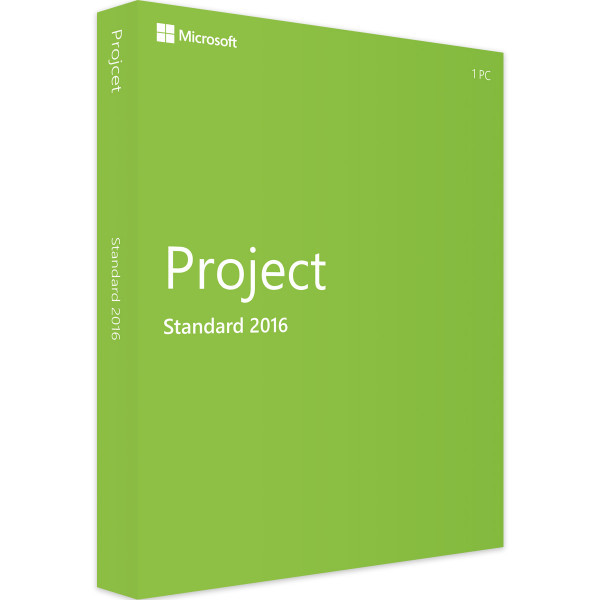
Microsoft Project 2016 Standard | Windows | 1 PC | ESD | Téléchargement immédiat | Validité permanen



Wir beraten Sie persönlich
Direkt erreichbar für Privat-und Geschäftskunden.

Wir sind gerne für Sie da!
Mo. - Fr.: 09:00 - 14:00 Uhr
inkl. MwSt. Versandkostenfrei
Sofortdownload + Produktschlüssel
- Artikel-Nr.: FR-ID-90852
- Freitextfeld 1: Nouveau
- Geräte: 1 PC
- Laufzeit: Validité permanente
- Sprache: Toutes les langues
- Länderzone: Dans le monde entier
- Versandart: Courrier électronique
- Hersteller: Microsoft







Auslieferungsumfang
- Sofortdownload & Originalschlüssel per E-Mail
- Sichere Aktivierung: Garantie für langfristige Nutzung
- Einfache Anleitung: Installation und Aktivierung
- Transparente Rechnung: inkl. Mehrwertsteuer
Plan, control and manage: Effective project management with Microsoft Project 2016
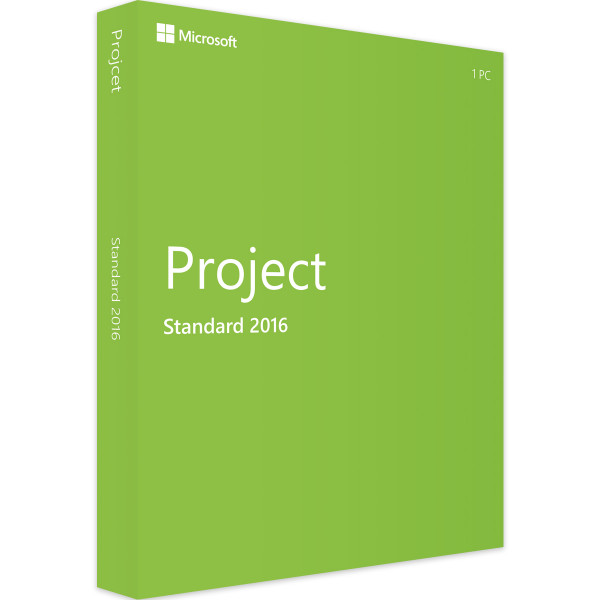
Microsoft Project 2016 Standard | Windows is a project management software designed specifically for businesses to effectively plan, manage and control projects. It is a single-user version for one PC, suitable for one person.
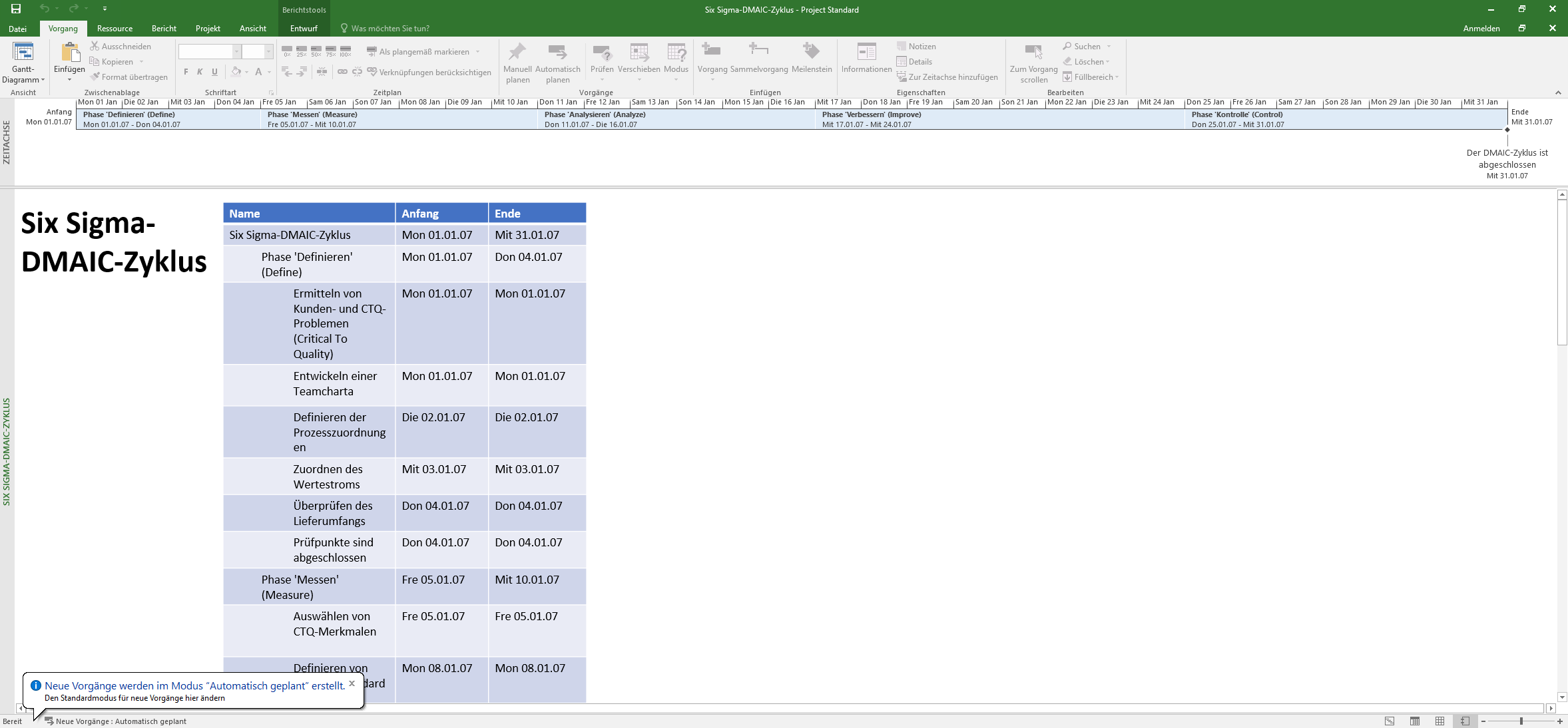
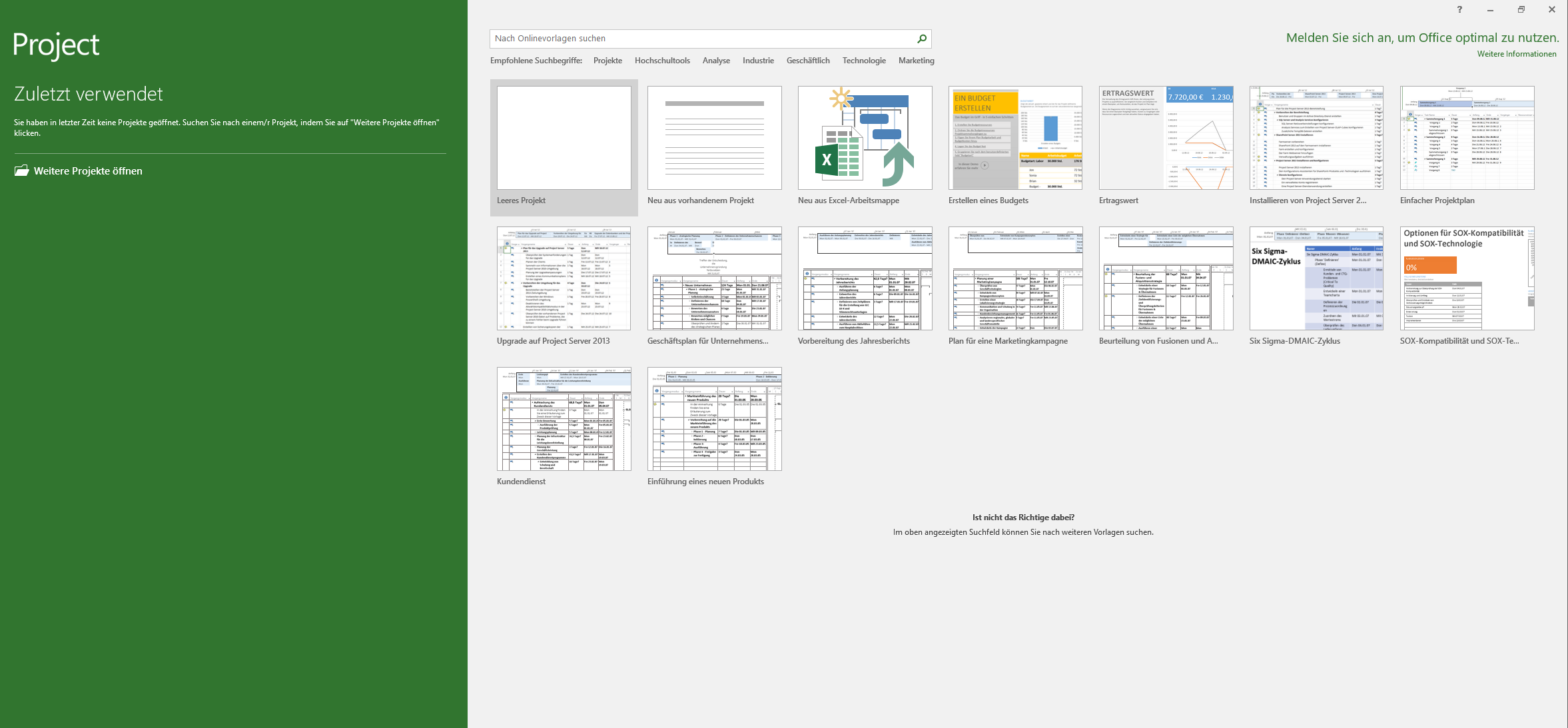
The user interface of Microsoft Project 2016 Standard | Windows is user-friendly and allows for easy navigation and management of projects. It offers a wide range of features that make project management work easier, such as creating project plans, assigning tasks to team members, monitoring progress, and managing budgets and resources.
One of the key features of Microsoft Project 2016 Standard | Windows is the ability to create Gantt charts and other diagrams that visualize the progress of the project. These diagrams can be easily customized and updated to reflect changes in the project. The software also makes it possible to effectively manage resources such as labor, materials, and costs.
Microsoft Project 2016 Standard | Windows also offers integration with other Microsoft products such as Excel and SharePoint. It allows you to import and export data and collaborate with other team members via the cloud. Collaboration is facilitated by the ability to share project progress in real time.
Another advantage of Microsoft Project 2016 Standard | Windows is the ability to create custom reports and dashboards that show the progress of the project. These reports can be easily shared with other team members to provide greater transparency and collaboration in project management.
To sum up, Microsoft Project 2016 Standard | Windows is a powerful project management software that enables organizations to effectively plan, manage, and control projects. It offers a wide range of features to visualize project progress, manage resources, and facilitate team collaboration. It is a user-friendly software that also allows for integration with other Microsoft products.
Who is Microsoft Project 2016 Standard | Windows | 1 PC for?
Microsoft Project 2016 Standard | Windows is a powerful project management tool that is aimed at various audiences. Here are seven categories of users for whom Microsoft Project 2016 Standard | Windows is suitable:
- Project managers: Microsoft Project 2016 Standard | Windows is an indispensable tool for project managers who have to plan, monitor and control complex projects. It helps to create work schedules, allocate resources and budgets, and track project progress in real time.
- Team leaders: Microsoft Project 2016 Standard | Windows facilitates collaboration and coordination between different teams and departments. Team leaders can track the progress of each team member and optimize their workload to ensure that the project is completed on time and within budget.
- Business analysts: Business analysts can use Microsoft Project 2016 Standard | Windows to collect, analyze, and visualize data to make better business decisions. The tool makes it possible to integrate data from different sources and create custom reports.
- IT managers: IT managers can use Microsoft Project 2016 Standard | Windows to plan and manage IT projects, such as the implementation of new software systems or the migration of databases. The tool helps to track the progress of the project and ensure that projects are completed within budget and on time.
- Engineers: Engineers can use Microsoft Project 2016 Standard | Windows to plan and manage complex construction projects or the development of new products. The tool enables them to use resources such as labor and materials more effectively and ensure that the project runs smoothly and on schedule.
- Architects: Architects can use Microsoft Project 2016 Standard | Windows to plan and manage large architectural projects, such as the construction of residential buildings, office buildings or shopping malls. The tool helps to track the progress of the project and ensure that it is completed within budget and on time.
- Students: Microsoft Project 2016 Standard | Windows can also be used by students to plan and manage projects for their courses. It is a useful resource for students who want to learn how to plan and manage projects effectively.
To sum up, Microsoft Project 2016 Standard | Windows is suitable for anyone who needs to plan and manage complex projects, regardless of their industry or area of activity. It is a valuable tool for project managers, team leaders, business analysts, IT managers, engineers, architects, and students.
What is the difference between Microsoft Project 2016 Standard | Windows and Microsoft Project 2016 Professional | Windows?
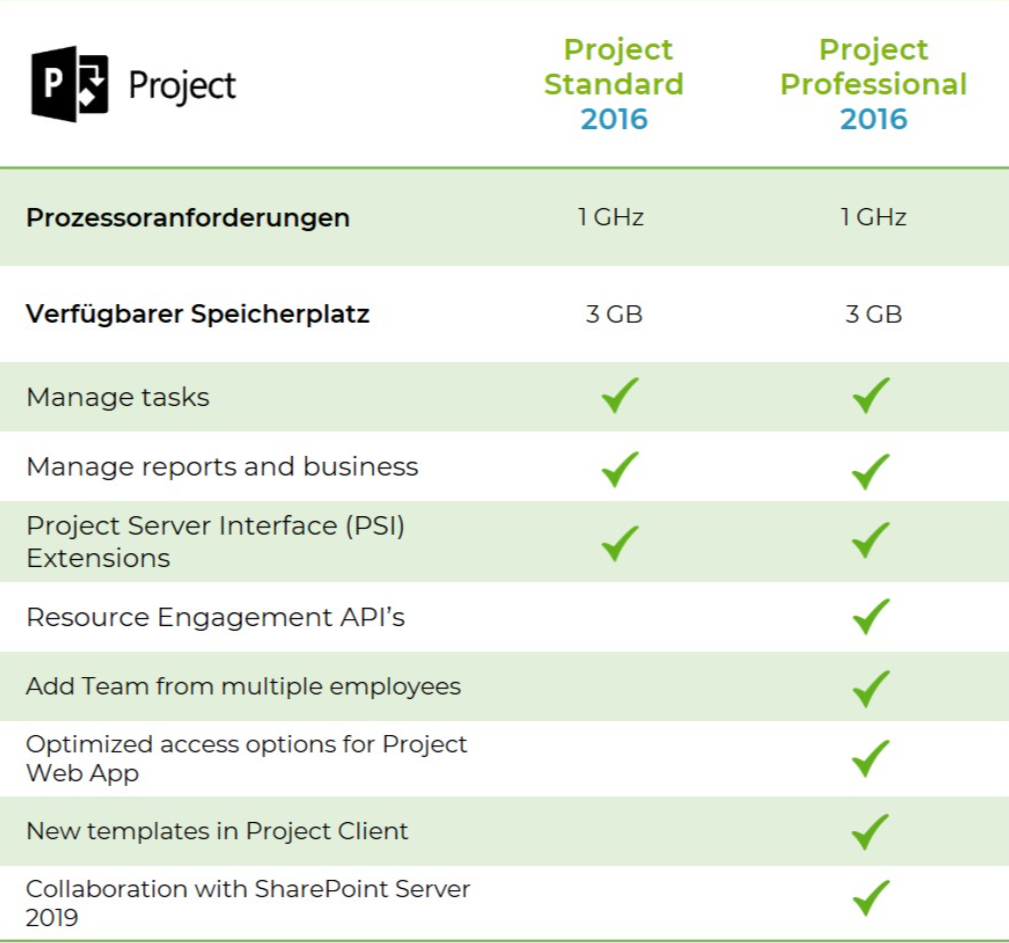
The difference between Microsoft Project 2016 Standard | Windows and Microsoft Project 2016 Professional | Windows is the features included and the target audience. Microsoft Project 2016 Standard | Windows is a basic project management software aimed at small to medium-sized companies that offers basic project management features such as project planning, resource management and budgeting.
By contrast, Microsoft Project 2016 Professional | Windows is an advanced project management software aimed at larger organizations and project managers with complex projects. The Professional version includes all the features of the Standard version, as well as advanced features such as portfolio management, time tracking, risk management, multi-project support, and team collaboration tools.
In addition, Microsoft Project 2016 Professional | Windows offers integrations with other Microsoft tools such as SharePoint, Excel, and Outlook to facilitate collaboration and information sharing.
Overall, Microsoft Project 2016 Professional | Windows is the more powerful and comprehensive version of the two, offering more features for planning, managing, and monitoring complex projects.
Advantages and improvements of Microsoft Project 2016 Standard | Windows | 1 PC compared to the previous version (Microsoft Project 2013 Standard | Windows | 1 PC)
Microsoft Project 2016 Standard | Windows | 1 PC contains a number of improvements and functional enhancements compared to the previous version, Microsoft Project 2013 Standard | Windows | 1 PC. Some of the key benefits and enhancements include:
- Better integration with other Microsoft applications: Microsoft Project 2016 Standard | Windows | 1 PC offers better integration with other Microsoft applications such as Excel and SharePoint, making it easier to collaborate.
- Easier Navigation: The user interface of Microsoft Project 2016 Standard | Windows | 1 PC has been improved and now offers easier navigation, making it easier for users to find the information they need.
- Improved Reporting: Microsoft Project 2016 Standard | Windows | 1 PC offers improved reporting that allows users to quickly and easily generate reports on the progress of their project.
- Advanced budgeting and resource planning tools: Microsoft Project 2016 Standard | Windows | 1 PC offers advanced budgeting and resource planning tools that make it easier for users to plan and utilize their resources effectively.
- Improved collaboration: Microsoft Project 2016 Standard | Windows | 1 PC offers improved collaboration features, including the ability to collaborate on projects in real time.
- Improved flexibility: Microsoft Project 2016 Standard | Windows | 1 PC offers greater flexibility in customizing project plans and reports to meet user requirements.
- Improved performance: Microsoft Project 2016 Standard | Windows | 1 PC offers improved performance and runs faster and more stable than the previous version.
To sum up, Microsoft Project 2016 Standard | Windows | 1 PC offers improved integration, easier navigation, advanced budgeting and resource planning tools, improved collaboration, greater flexibility, improved performance and improved reporting compared to the previous version, Microsoft Project 2013 Standard | Windows | 1 PC.
Advantages of Microsoft Project 2016 Standard | Windows | 1 PC compared to other project management software
Microsoft Project 2016 Standard offers a variety of advantages over other project management software. Some of the most important advantages are:
- Integration with other Microsoft tools: Microsoft Project 2016 Standard is seamlessly integrated with other Microsoft tools such as Excel, Word and PowerPoint to provide a seamless workflow and increased efficiency.
- Simple and intuitive user interface: Microsoft Project 2016 Standard has a user-friendly interface that is easy to use while providing extensive features and tools.
- Comprehensive planning capabilities: Microsoft Project 2016 Standard allows you to effectively plan projects, allocate resources, create schedules, and manage budgets.
- Versatile reporting: Microsoft Project 2016 Standard enables users to create customized reports based on a project's unique requirements.
- Better collaboration: Microsoft Project 2016 Standard makes it easy for users to share projects, collaborate in real time, and communicate updates quickly and effectively.
- Advanced resource management: Microsoft Project 2016 Standard offers advanced resource management capabilities that enable users to manage resource availability and avoid conflicts.
- Flexibility: Microsoft Project 2016 Standard offers users the flexibility to export and share projects in a variety of formats and file types for better collaboration with other team members.
To sum up, Microsoft Project 2016 Standard offers a powerful and comprehensive project management solution that is suitable for managing projects of all sizes and complexities due to its integration with other Microsoft tools, intuitive interface, scheduling capabilities, versatile reporting, collaboration features, resource management capabilities, and flexibility.
Benefits of buying Microsoft Project 2016 Standard | Windows | 1 PC from our online store
When you buy Microsoft Project 2016 Standard | Windows | 1 PC from our store, you benefit from a number of advantages. Here are some of the reasons why you should choose to buy from us:
- Genuine original product: We only offer genuine software that comes directly from Microsoft. You can be sure that you are getting a genuine version of Microsoft Project 2016 Standard | Windows | 1 PC.
- Fast delivery: As soon as you place your order, we will quickly send you the download link and activation key by email. You can start installing and using the software immediately.
- Low price: We offer Microsoft Project 2016 Standard | Windows | 1 PC at a very competitive price. You save money compared to other retailers or buying directly from Microsoft.
- Personal customer service: We are at your disposal to answer any questions or problems you may have and offer you personal customer service. We pride ourselves on providing excellent support to our customers and will help you with any question or concern.
- Secure purchase: We offer secure payment processing and protect your data with the latest security measures.
In summary, you can buy Microsoft Project 2016 Standard | Windows | 1 PC from us at the guaranteed lowest price, receive fast delivery and benefit from excellent customer service. We also offer you the assurance that you are receiving an original product and that your data is secure.
Hardware requirements for 2016 Standard | Windows | 1 PC
The minimum requirements for installing Microsoft Project 2016 Standard on a PC running a Windows operating system are:
- Operating system: Windows 7 SP1 or later, Windows Server 2008 R2 or later
- Processor: 1 gigahertz (GHz) or faster x86- or x64-bit processor with SSE2 support
- RAM: 1 GB (32 bit), 2 GB (64 bit)
- Hard disk space: 3 GB available space
- Graphics card: DirectX 10-compatible graphics card with a minimum resolution of 1024 x 768 pixels
- Internet connection for downloading and activating software updates and accessing certain features
However, it should be noted that for better performance and more extensive projects, it is recommended to use a more powerful computer with higher specifications.
(Further details can be obtained from the manufacturer)


