
Jetzt zum Newsletter anmelden!

Abonnieren Sie jetzt unseren kostenlosen Newsletter und verpassen Sie keine Aktionen und Neuigkeiten mehr.

Please enter a valid email address.
  • Spring sale
  • Get your discounts now!
Offers in:
Offers for:

  Service: +49 5561 - 6092957

  Free shipping

  Secure shopping thanks to SSL

Microsoft Remote Desktop Services 2022 User CAL

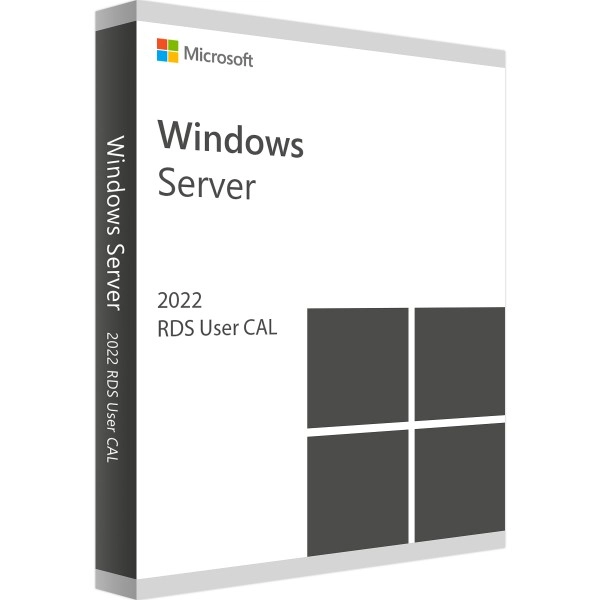
Microsoft Remote Desktop Services 2022 User CAL
We advise you personally

Directly accessible for private and business customers.


berater-bild

We are happy to help!


Mon. - Fri.: 9:00 a.m. - 2:00 p.m.

€54.90 €99.90 (45.05% Saved)

Prices incl. VAT plus shipping costs

Instant download + product key

Already sold 485 times!

CAL Anzahl

  • SWI24-700572
  • Permanently valid
  • All languages
  • Worldwide
  • E-Mail
  • Microsoft
  • Amazon Pay Kreditkarte Klarna Rechnung Apple Pay Google Pay

What's Included

  • Instant delivery – Key & download via email
  • Activation guarantee – Permanent access, quality assured
  • Installation guide – Simple & easy to follow, included
  • VAT invoice – Official proof of purchase included
Windows to the World: Expand your work capabilities with Microsoft Remote Desktop Services 2022...more
Product information "Microsoft Remote Desktop Services 2022 User CAL"

Windows to the World: Expand your work capabilities with Microsoft Remote Desktop Services 2022 User CAL

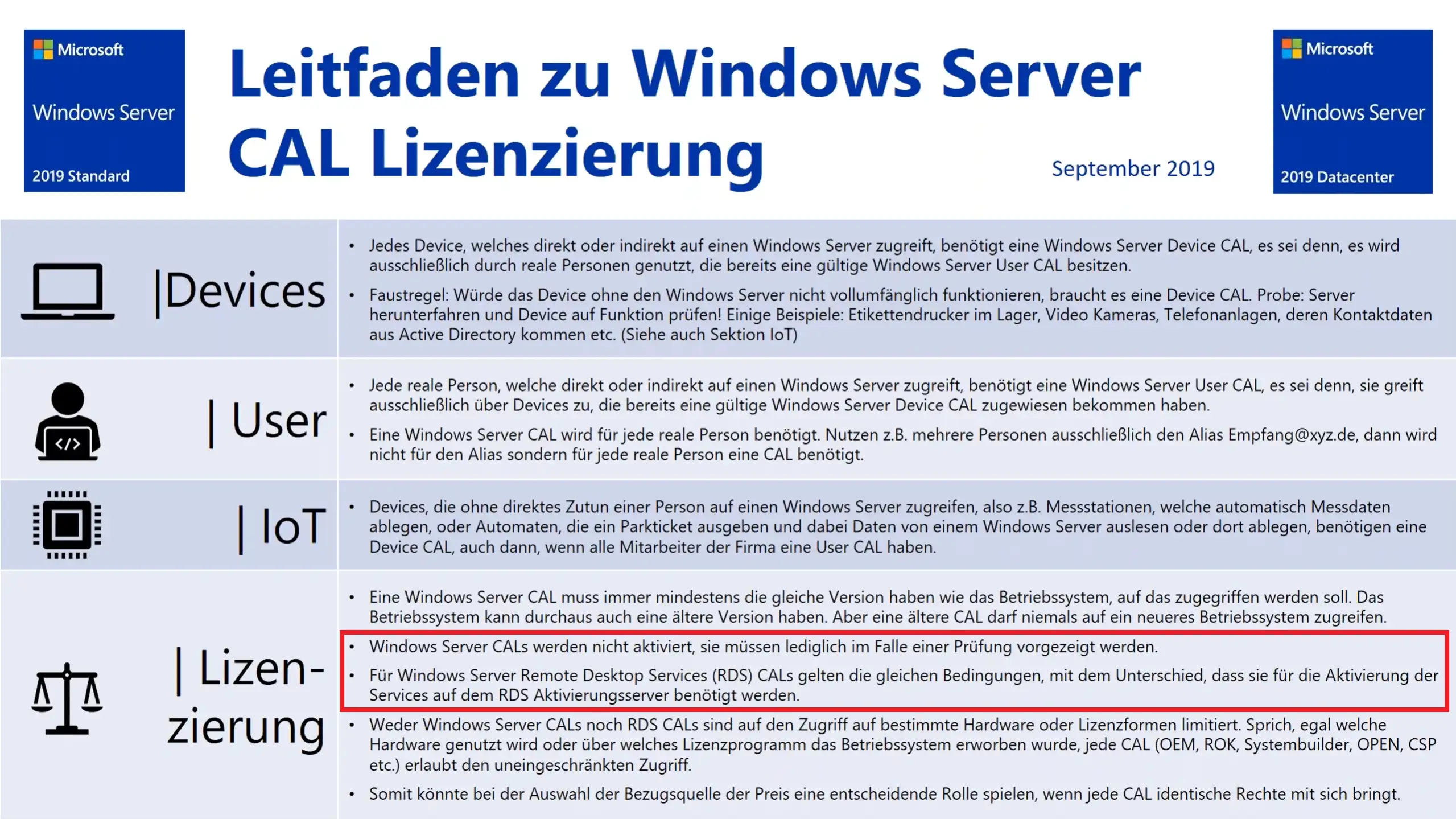
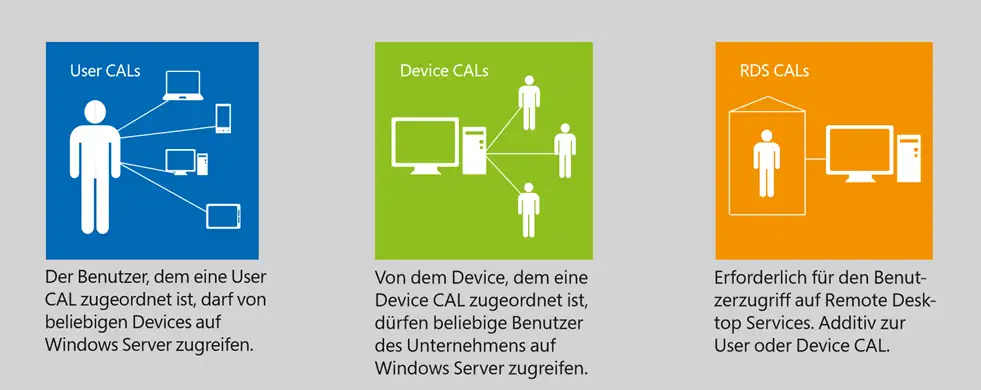
Microsoft Remote Desktop Services 2022 User CAL is a client access license that allows a specific user to access the Remote Desktop Services (RDS) of Windows Server 2022. With RDS, applications can be deployed centrally, allowing users to access graphical desktops and Windows applications from different devices. The Remote Desktop Services 2022 User CAL gives the licensed user the freedom to access RDS from any device, be it a physical, remote machine, a support case or using a Virtual Desktop Infrastructure (VDI). By using Remote Desktop Services 2022 User CAL, companies can ensure greater security for remote access, as the security functions integrated into the operating system protect the company's data and apps. Microsoft has also equipped the Windows Server 2022 system with multi-layered Secured Core security features that span the hardware, firmware and operating system to protect your organization from modern threats. Advanced Threat Protection (ATP) makes it possible to prevent and detect zero-day vulnerabilities, attacks on the network and data leaks.

The Windows Admin Center facilitates the management of remote apps and desktops as well as the integration of Azure services such as Azure Backup, Azure Site Recovery or the Azure Security Center. By using Windows Server 2022, companies can modernize their server infrastructure and benefit from higher scalability, more security and better cost efficiency. Virtualization-based security (VBS) protects against attacks that seek to exploit vulnerabilities in the operating system in order to infiltrate malware.

In summary, Microsoft Remote Desktop Services 2022 User CAL provides organizations with the ability to ensure secure and centralized deployment of applications that can be accessed by licensed users from multiple devices. Built-in security features protect the organization's data and apps from modern threats, and the Windows Admin Center makes it easy to manage and integrate Azure services. Windows Server 2022 offers a modernized server infrastructure, higher scalability, more security and better cost efficiency.

Who is Microsoft Remote Desktop Services 2022 USER CAL suitable for?

Microsoft Remote Desktop Services 2022 User CAL is suitable for different target groups.

Here are some possible categories:

  • Enterprise: Remote Desktop Services 2022 User CALs can be purchased by organizations that want to support remote work and enable their employees to access applications and desktops from anywhere. This is particularly useful for companies with many branch offices or distributed teams that require centralized deployment of applications and desktops.
  • IT administrators: IT administrators who operate and manage Remote Desktop Services 2022 need User CALs to ensure that users can access the remote desktop session hosts. With a User CAL, a specific user can access the remote desktop session hosts from different devices.
  • Individual users: Individual users working from home or on the road can benefit from Remote Desktop Services 2022 User CALs to access the applications and desktops provided by their employer. This can help increase productivity and reduce the need to work on a specific physical device.
  • Software developers: Software developers who are developing or testing applications for Remote Desktop Services 2022 may need User CALs to test and debug their applications remotely.

Overall, Microsoft Remote Desktop Services 2022 User CAL is suitable for anyone who needs to access or deploy applications and desktops remotely. It is a practical solution for organizations, IT administrators, individual users and software developers who use remote desktop services.

Hardware requirements for Microsoft Remote Desktop Services 2022 USER CAL

The hardware requirements for Microsoft Remote Desktop Services 2022 User CAL depend on various factors, such as the number of concurrent users, the type of applications being run, and the size of the virtual machines (VMs) used for the remote desktop sessions.

In general, however, the following minimum requirements apply:

  • Processor: 64-bit processor with at least 1.4 GHz speed
  • RAM: At least 4 GB RAM (8 GB or more recommended)
  • Hard disk space: At least 32 GB free space on the system hard disk
  • Network: Gigabit Ethernet network card with full duplex capability
  • Operating system: Windows Server 2022 Standard- or Datacenter Edition (64-bit)

In addition, other hardware components such as graphics cards or additional network cards are advantageous to improve the performance and scalability of Remote Desktop Services.

It is also important to note that these requirements are only the minimum requirements and the actual requirements may vary depending on the number of users and the type of applications being run. It is recommended to consider the manufacturer's recommended system requirements and add additional hardware components if necessary to ensure optimal performance and user experience.

(Further detailed information can be obtained from the manufacturer)

Related links to "Microsoft Remote Desktop Services 2022 User CAL"