We advise you personally
Directly accessible for private and business customers.
We are happy to help!
Mon. - Fri.: 9:00 a.m. - 2:00 p.m.
Prices incl. VAT plus shipping costs
Instant download + product key
What's Included
- Instant delivery – Key & download via email
- Activation guarantee – Permanent access, quality assured
- Installation guide – Simple & easy to follow, included
- VAT invoice – Official proof of purchase included
- Order number: SWI24-700537
- Runtime: Permanently valid
- Language: All languages
- Country zone: Worldwide
- Shipping method: E-Mail
- Manufacturer: Microsoft
Microsoft Windows Server 2019 Datacenter Add-on - Comprehensive extension for your server infrastructure

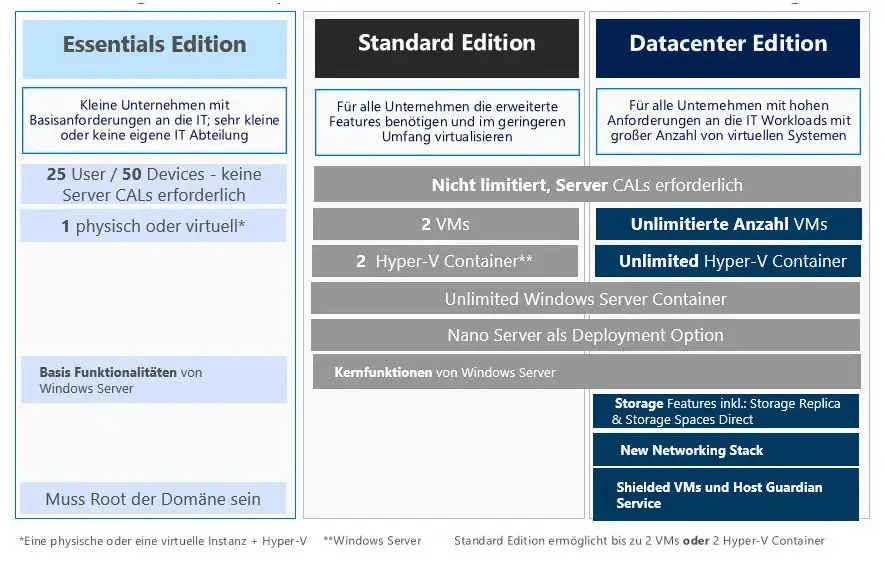
The Microsoft Windows Server 2019 Datacenter Add-on is an extension for Windows Server 2019 Datacenter. It offers additional functions and extended options for virtualized and cloud-based environments. The add-on can be installed on an existing Windows Server 2019 Datacenter and thus offers a flexible option to expand the existing infrastructure. One of the main features of the add-on is the ability to run unlimited virtual instances on one host. This provides tremendous flexibility and scalability for virtualized environments by allowing companies to run multiple virtual machines on a single host without incurring additional licensing costs.
In addition, the add-on also offers advanced security features, such as Windows Defender Exploit Guard and Windows Defender Advanced Threat Protection. These functions help companies to protect their infrastructure from threats and minimize security risks. The Windows Server 2019 Datacenter Add-on also offers storage management features, including the ability to use Storage Spaces Direct. This feature allows organizations to deploy cost-effective and scalable storage solutions based on commodity hardware.
In summary, the Microsoft Windows Server 2019 Datacenter Add-on offers an extensive range of features and enhancements that can improve the performance and flexibility of virtualized and cloud-based environments. It offers advanced security features, unlimited virtual instances on a host, advanced storage management and much more.
Who is Microsoft Windows Server 2019 Datacenter Add-on suitable for?
The Microsoft Windows Server 2019 Datacenter Add-on is aimed at companies and organizations of all sizes that require a powerful and scalable server infrastructure.
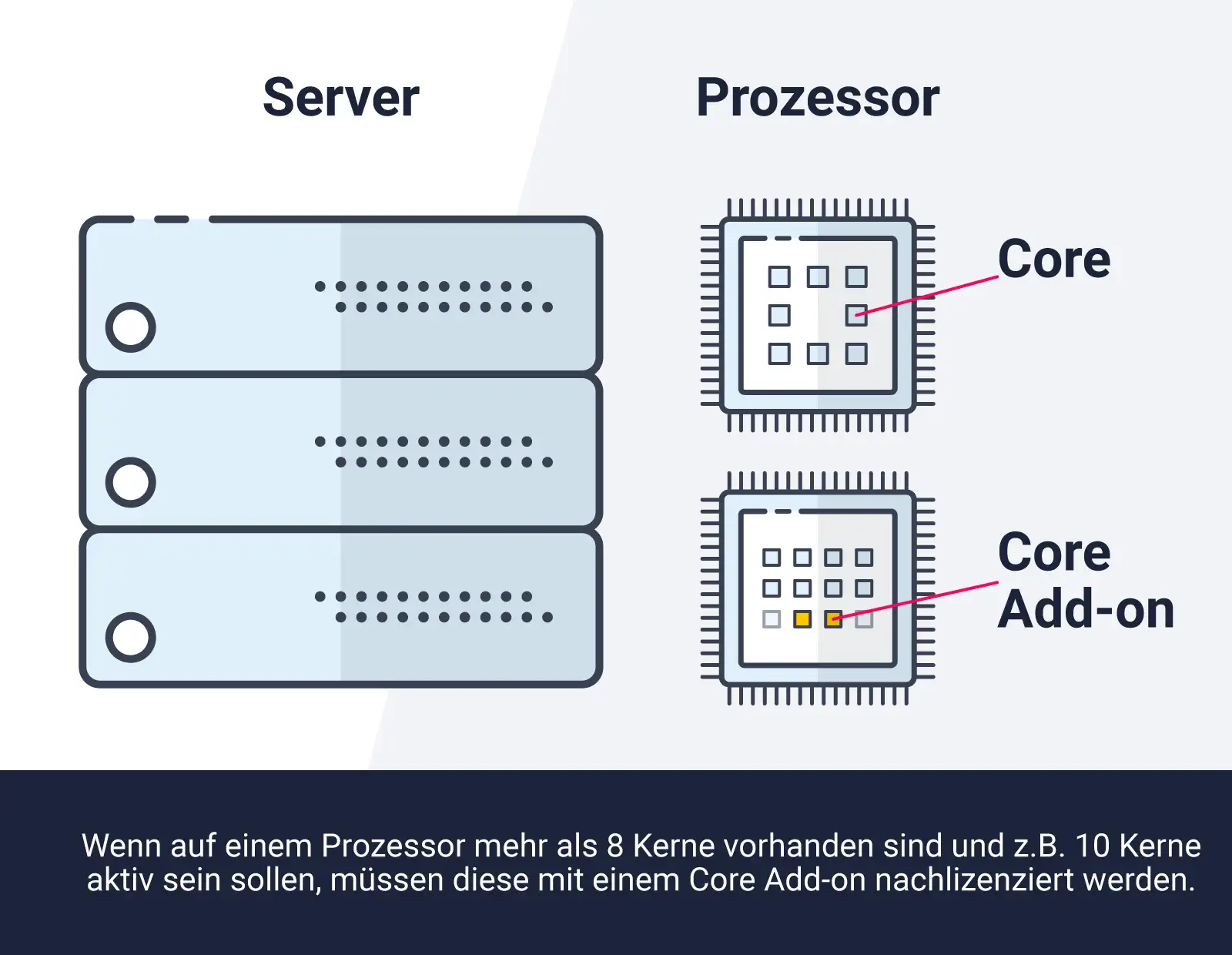
It is particularly suitable for the following categories of companies:
- Large companies: For large companies with extensive IT infrastructures, the Windows Server 2019 Datacenter Add-on offers a scalable solution that meets the requirements of these companies.
- Cloud providers: Cloud providers who want to provide their customers with a high-performance server infrastructure can benefit from the add-on, as it offers numerous functions and options for scaling and managing resources.
- Data center operators: Data center operators can use the add-on to expand their server infrastructure and use their resources more effectively.
- Companies with high data traffic: The add-on is ideal for companies that work with high data traffic and need multiple servers to meet the requirements. It also allows scaling of resources to meet the needs of the business.
- Application developers: Developers can use the add-on to develop, test and deploy applications in a virtualized environment. It also enables integration with various development platforms and tools.
- Cloud-based companies: Organizations that work in the cloud and need a platform that supports scaling resources and managing virtual machines will find the add-on very useful.
Overall, the Microsoft Windows Server 2019 Datacenter Add-on is a powerful and versatile solution that is suitable for a wide range of businesses and organizations that require a reliable, scalable and powerful server infrastructure.
Hardware requirements for Microsoft Windows Server 2019 Datacenter Add-on
The hardware requirements for Microsoft Windows Server 2019 Datacenter Add-on are as follows:
- Processor: 1.4 GHz (64-bit processor) or faster
- RAM: 512 MB or more (2 GB or more for the graphical installation)
- Hard disk space: 32 GB or more
- Network card: An Ethernet network card with a transfer rate of 1 Gbit/s or faster
However, it is important to note that these requirements may vary depending on the intended use and the number of tasks performed simultaneously. It is recommended that you always check the latest hardware specifications and recommendations from Microsoft to ensure that the requirements are met and the best possible performance is achieved.
(Further details can be obtained from the manufacturer).
Relevant: It is important that the installation file and the product key match. There are different variants of this software, so it may be necessary to use the installation file offered by us as a download for a new installation. It is advisable to obtain information in advance and ask questions if necessary to avoid difficulties and inconvenience later on.