We advise you personally
Directly accessible for private and business customers.
We are happy to help!
Mon. - Fri.: 9:00 a.m. - 2:00 p.m.
Prices incl. VAT plus shipping costs
Instant download + product key
- Order number: SWI24-700617
- Devices: 1 PC
- Runtime: Permanently valid
- Language: Multilingual
- Country zone: Worldwide
- Shipping method: E-Mail
- Manufacturer: Nuance
What's Included
- Instant delivery – Key & download via email
- Activation guarantee – Permanent access, quality assured
- Installation guide – Simple & easy to follow, included
- VAT invoice – Official proof of purchase included
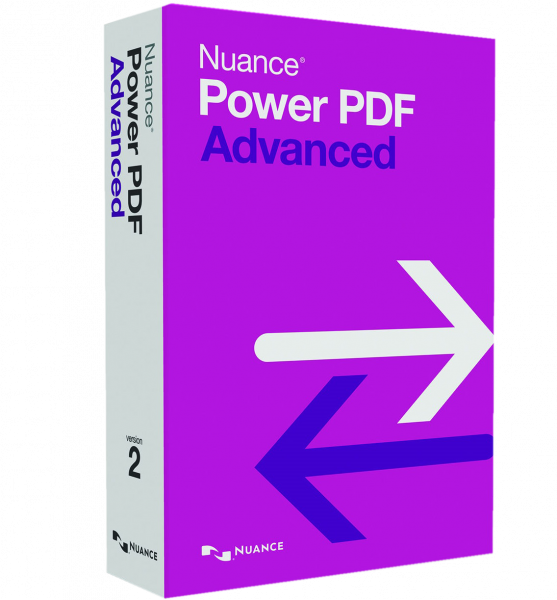
Nuance Power PDF Advanced 2.1 - Powerful PDF software for Windows
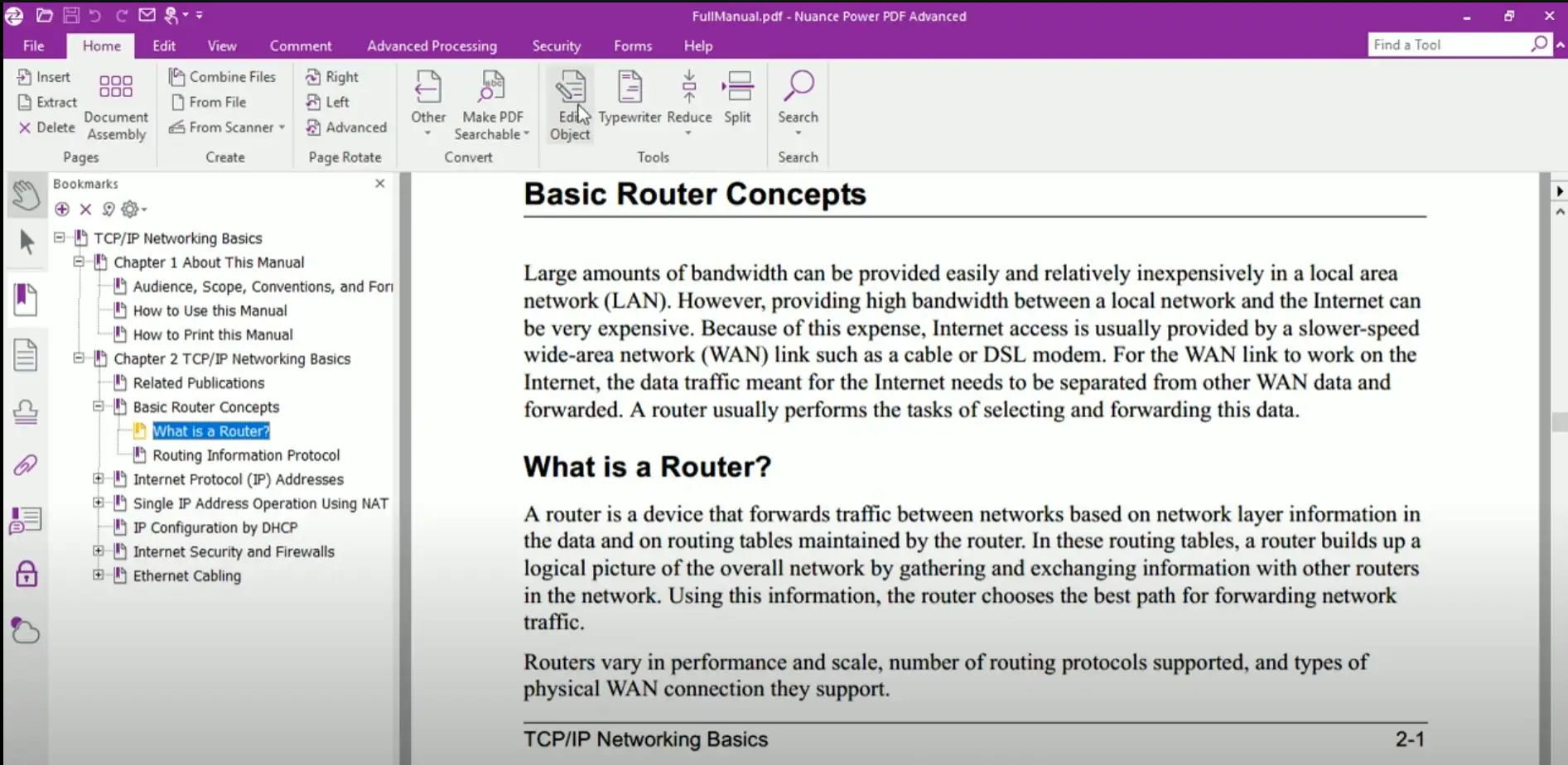
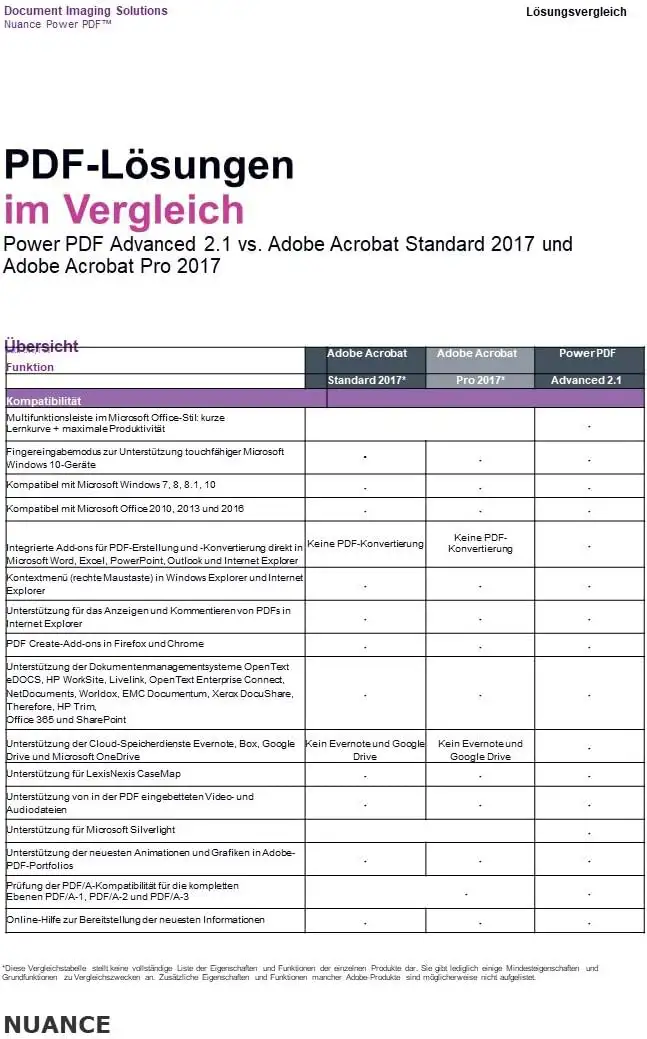
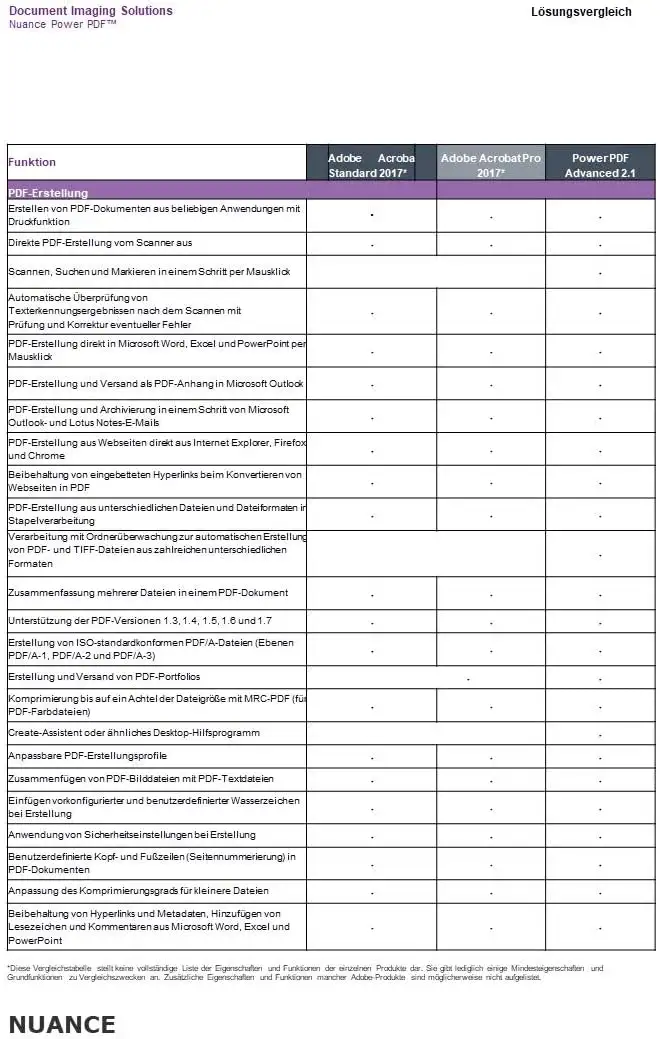
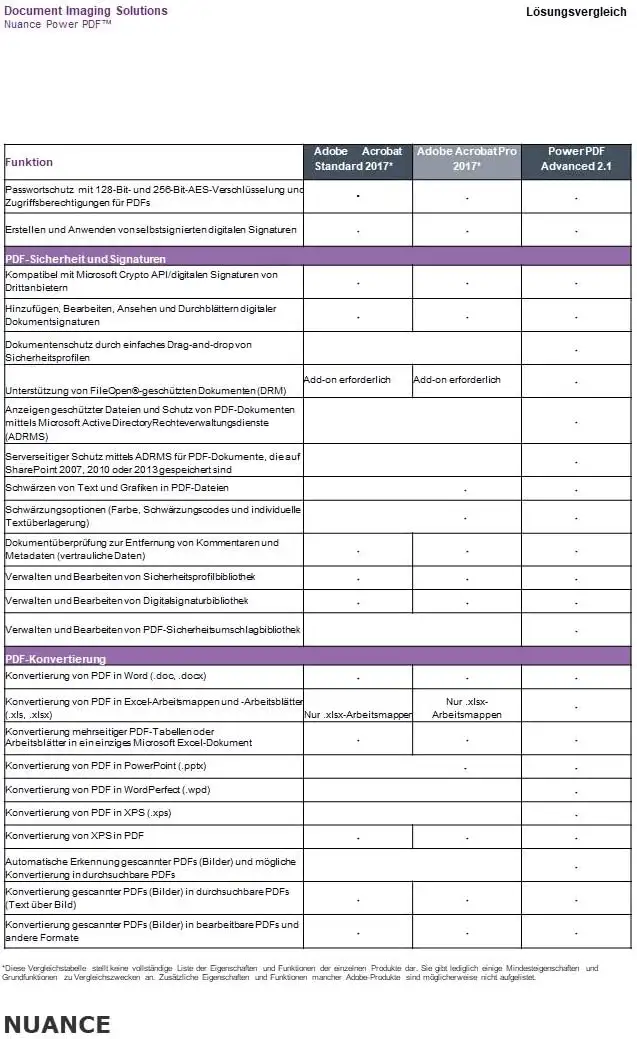
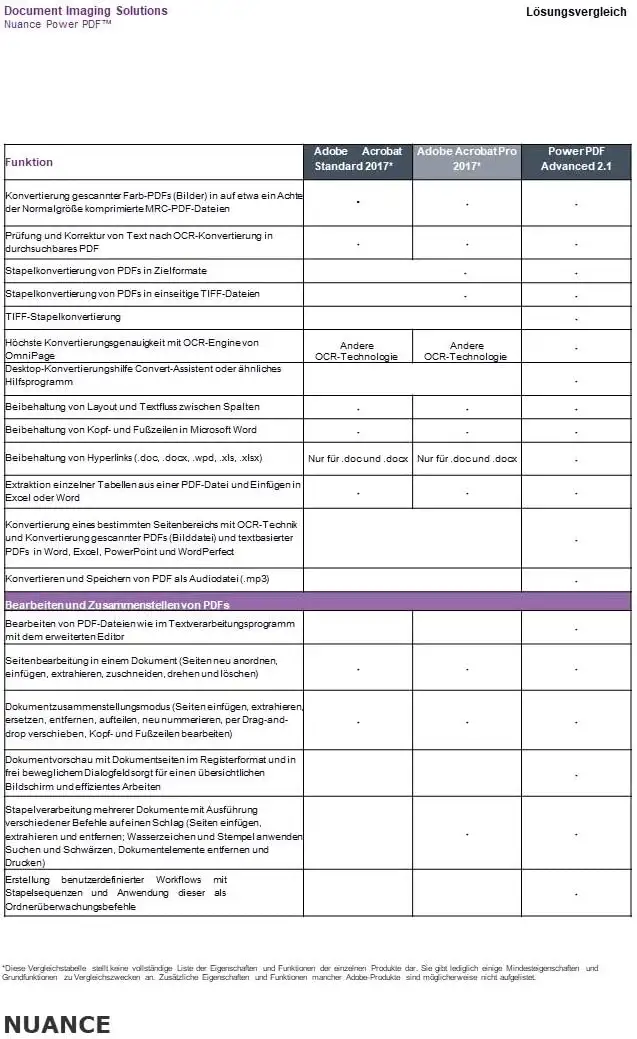
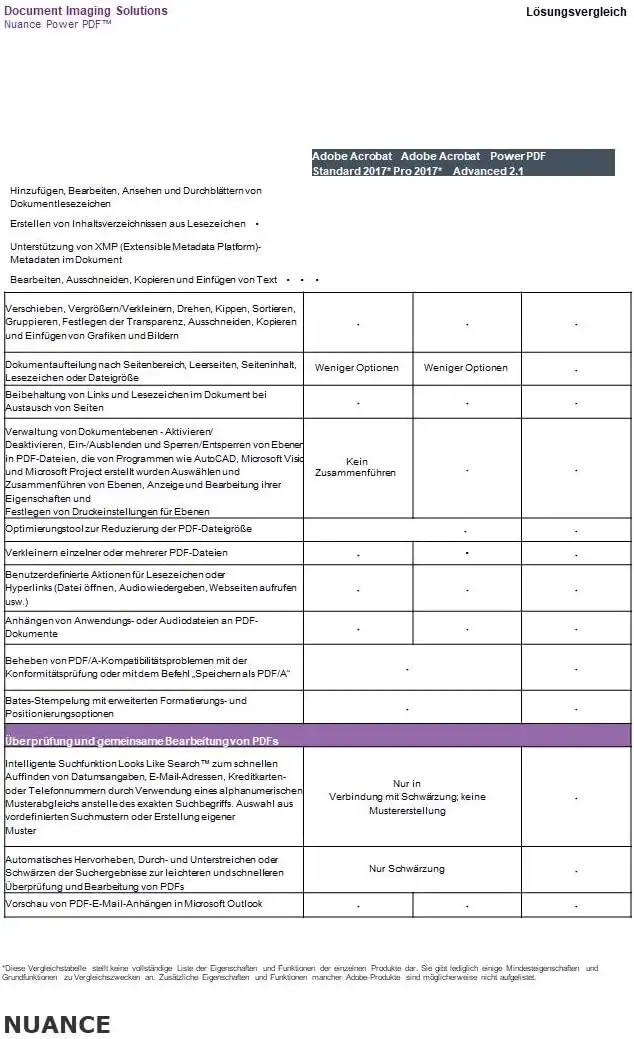
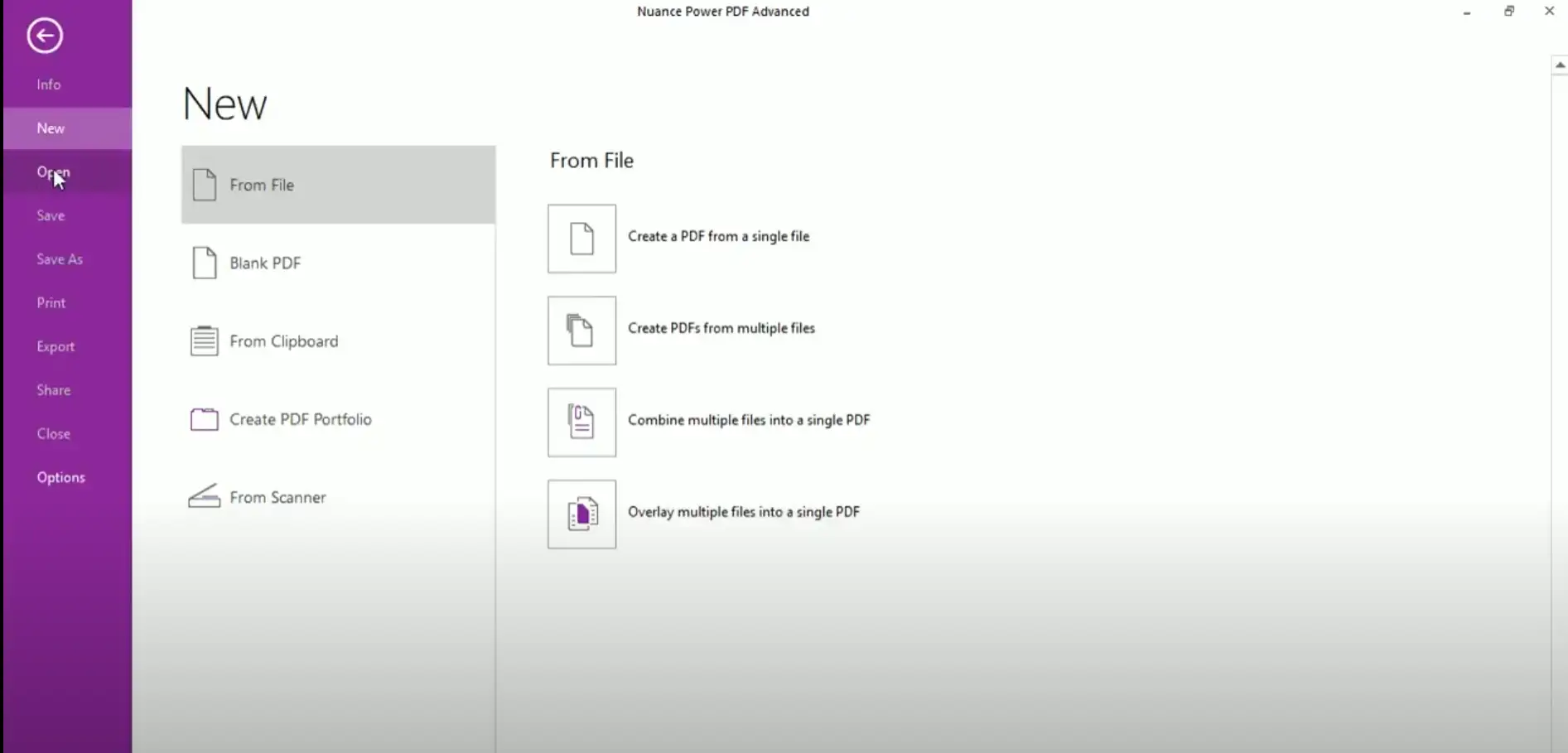
Nuance Power PDF Advanced 2.1 is a comprehensive and advanced software solution for creating, editing, converting, and collaborating on PDF documents on Windows-based devices. This software offers a wide range of features that allow users to quickly and easily edit and create PDF files. One of the features of Power PDF Advanced is the ability to create PDFs from almost any application. You can quickly create PDFs by simply clicking the “Print” button and saving the document as a PDF. This is a handy feature for users who frequently need to create PDF documents. Another useful feature of Power PDF Advanced is the ability to convert PDFs to Word, Excel, and PowerPoint files. This feature allows users to export PDF content to other file formats for further editing. This is particularly useful for users who frequently work with different file formats. Power PDF Advanced also offers extensive tools for editing PDFs. Users can add, delete, and modify text, images, and other elements in PDF files. In addition, users can add, delete, move, copy, and paste pages from PDF files. These features allow users to quickly and easily customize and edit PDF documents. Another important feature of Power PDF Advanced is the OCR (Optical Character Recognition) feature. This feature allows users to convert scanned PDFs into searchable and editable files. This is particularly useful for users who frequently work with scanned documents.
Power PDF Advanced also offers extensive collaboration features. Users can collaborate on PDF documents by adding comments, taking notes, and even working together in real time. This is particularly useful for users who frequently collaborate with others and want to receive feedback on their PDF documents. In addition, Power PDF Advanced offers extensive security features. Users can protect PDF files with passwords and add digital signatures. This is especially important for users who store confidential or sensitive information in their PDF documents.
Overall, Nuance Power PDF Advanced 2.1 is a powerful and versatile software solution for creating, editing, and collaborating on PDF documents on Windows-based devices. The wide range of features and tools offered by this software makes it an excellent choice for users who frequently work with PDF documents.
Who is Nuance Power PDF Advanced 2.1 | Windows suitable for?

Nuance Power PDF Advanced 2.1 | Windows is a software solution that is suitable for a wide range of users.
Here are some categories of users who could benefit from this software:
- Businesses: Businesses of all sizes can benefit from the versatile features of Power PDF Advanced, especially the OCR feature, which allows them to convert scanned documents into searchable and editable files. Businesses can also collaborate on PDF documents and add digital signatures to ensure the security of confidential information.
- Individuals: Individuals who frequently work with PDF documents can benefit from the extensive editing capabilities of Power PDF Advanced. They can add, delete, and modify text, images, and other elements in PDF files, and add, delete, move, copy, and paste pages from PDF files. They can also create PDFs from almost any application and convert PDFs to Word, Excel, and PowerPoint files.
- Students and academics: Students and academics can benefit from the extensive features of Power PDF Advanced, especially the ability to collaborate on PDF documents and add comments and notes. They can also quickly and easily create PDFs and convert them to other file formats.
- Accountants and financial professionals: Accountants and financial professionals can benefit from the features of Power PDF Advanced, particularly the ability to quickly and easily convert PDF files to Excel spreadsheets and vice versa. They can also easily edit and organize invoices, bank statements, and other financial documents.
- Medical professionals: Medical professionals can benefit from Power PDF Advanced's OCR feature, which allows them to convert scanned patient documents into searchable files. They can also quickly and easily edit and customize medical reports and other documents to meet their needs.
- Graphic designers and creatives: Graphic designers and creatives can benefit from the extensive editing features of Power PDF Advanced, particularly the ability to edit and optimize graphics and other elements in PDF files. They can also quickly and easily convert PDF files to other formats for use in other creative projects.
- Technology professionals: Technology professionals can benefit from the advanced features of Power PDF Advanced, particularly the ability to encrypt PDF files and add digital signatures. They can also quickly and easily edit and customize PDF documents to optimize them for various projects and applications.
Overall, Nuance Power PDF Advanced 2.1 | Windows is a software solution that is suitable for a wide range of users who frequently work with PDF documents and need to create, edit, and convert them.
Hardware requirements for Nuance Power PDF Advanced 2.1 | Windows
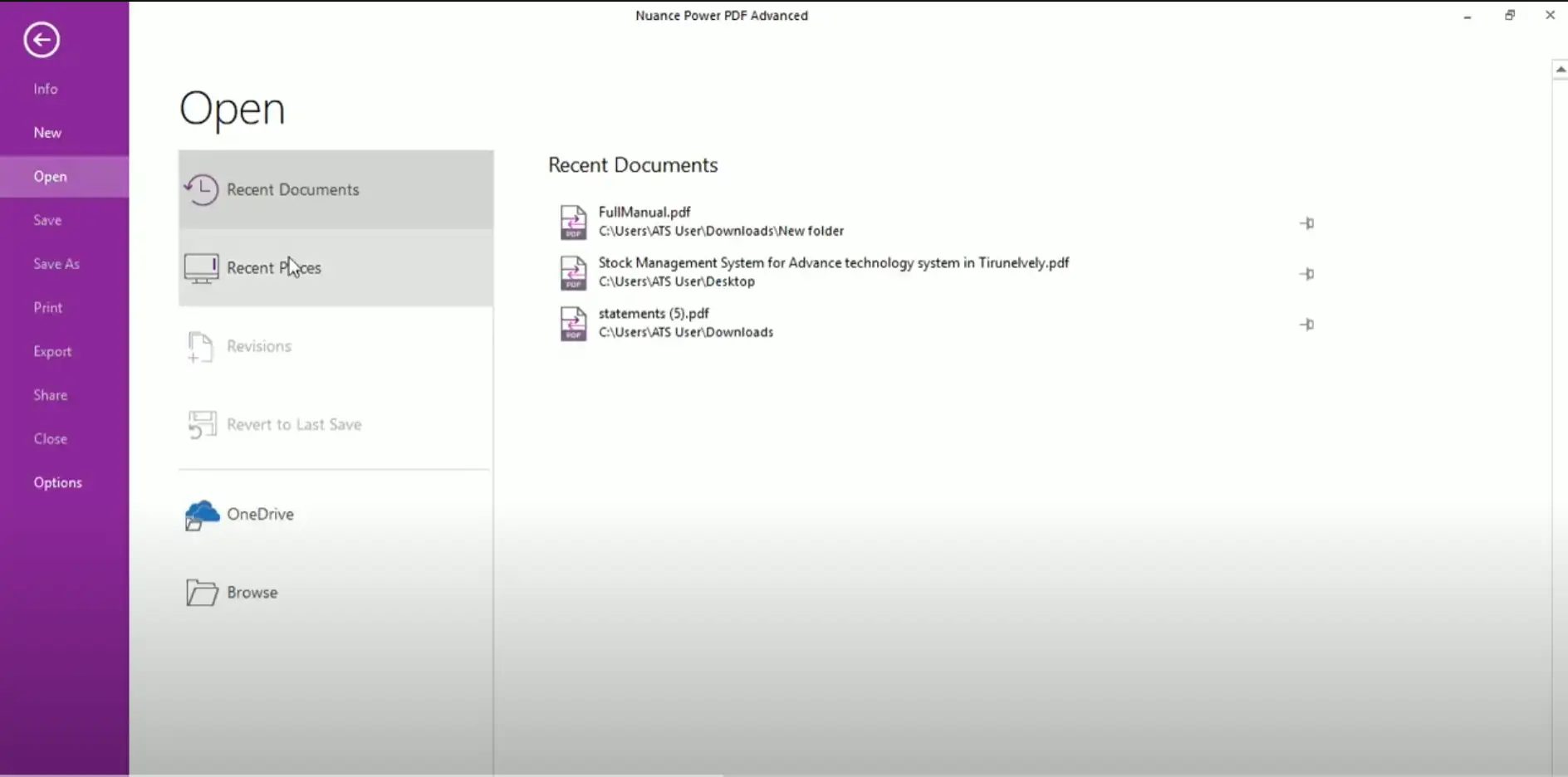
The hardware requirements for Nuance Power PDF Advanced 2.1 | Windows are:
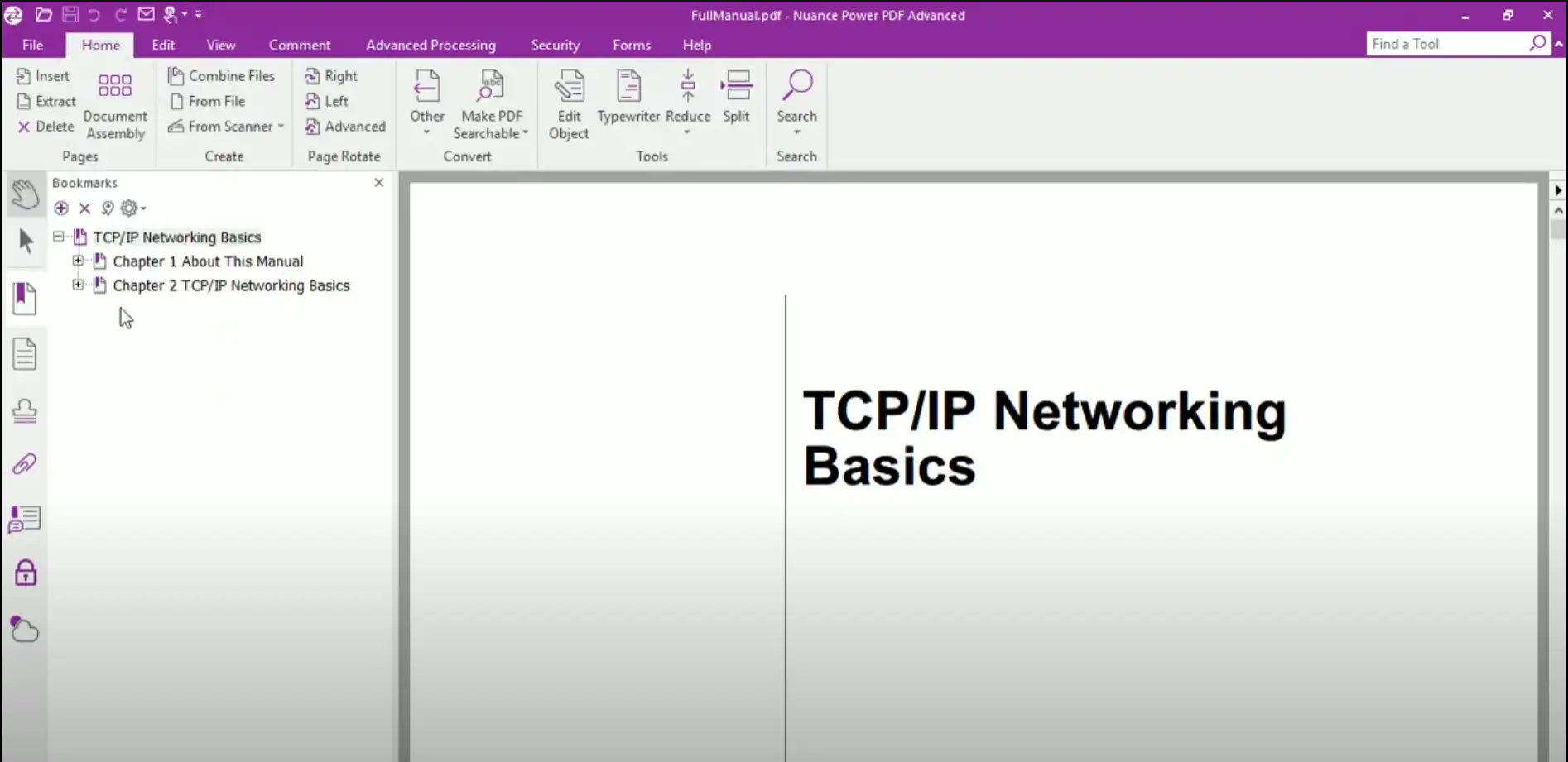
- Operating system: Windows 7 (32-bit and 64-bit), Windows 8 (32-bit and 64-bit), Windows 8.1 (32-bit and 64-bit), Windows 10 (32-bit and 64-bit), and Windows 11 (32-bit and 64-bit)
- Processor: 1.2 GHz or faster
- RAM: 1 GB or more (2 GB recommended)
- Hard disk space: 700 MB of free space
- Display: Screen resolution of at least 1024x768 pixels
- Internet connection for product activation and certain features
Please note that these requirements apply to the installation and execution of Nuance Power PDF Advanced 2.1 | Windows. If users are working with larger or more complex PDF files, their computer may need to meet higher specifications.
(Further details can be obtained from the manufacturer).
Relevant: It is important that the installation file and product key match. There are different versions of this software, so it may be necessary to use the installation file we offer as a download for a new installation. It is advisable to obtain information in advance and ask questions if necessary to avoid difficulties and inconvenience later on.