

Skylum Luminar Neo | Windows / Mac






We advise you personally
Directly accessible for private and business customers.

We are happy to help!
Mon. - Fri.: 9:00 a.m. - 2:00 p.m.
Prices incl. VAT plus shipping costs
Instant download + product key
- Order number: SWI24-700642
- Devices: 1 PC/Mac
- Runtime: Permanently valid
- Language: All languages
- Country zone: Worldwide
- Shipping method: E-Mail
- Manufacturer: Skylum







What's Included
- Instant delivery – Key & download via email
- Activation guarantee – Permanent access, quality assured
- Installation guide – Simple & easy to follow, included
- VAT invoice – Official proof of purchase included
Buy Skylum Aperty online at a low price from Softwareindustrie24
What is Skylum Aperty?
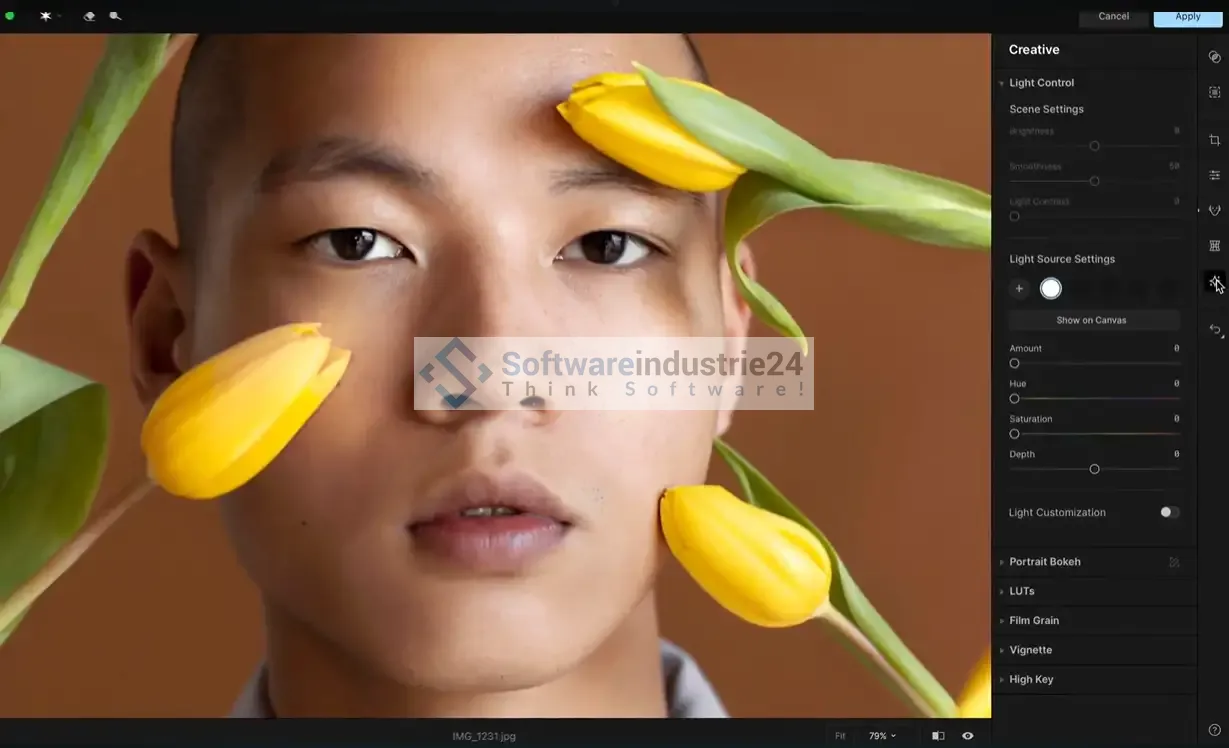
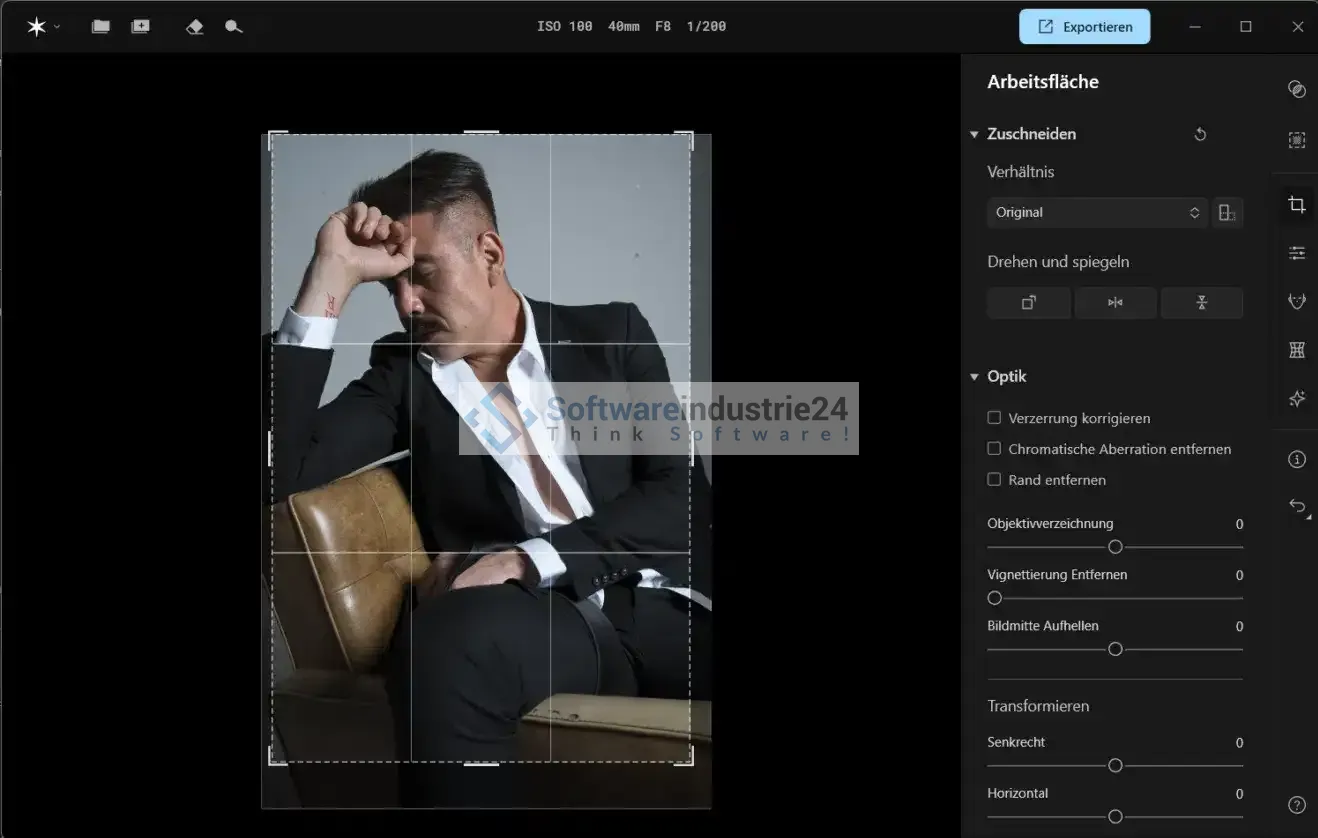
Skylum Aperty is a powerful and modern software solution for photo editing, image optimization, and image management, developed for both professional photographers and hobbyists. The software combines intelligent technologies with a user-friendly interface and allows you to take your photos to a whole new level. Aperty uses advanced algorithms and AI-powered features that not only save time but also deliver impressive results.
For users looking for a flexible yet professional solution, Skylum Aperty is the perfect choice. Especially at a time when photography and visual content are becoming increasingly important—whether for social media, business presentations, or personal memories—the software offers a comprehensive set of tools for perfecting images.
The most important features of Skylum Aperty
1. AI-powered photo editing
One of Skylum Aperty's greatest strengths is its integration of artificial intelligence. Using intelligent algorithms, the software automatically recognizes subjects, faces, landscapes, or buildings and adjusts the editing precisely. This optimizes skin tones, enhances colors, and removes distracting elements if desired—without the user having to delve deeply into complicated tools.
2. Comprehensive retouching tools
Whether skin retouching, teeth whitening, image noise removal, or red-eye correction, Skylum Aperty provides numerous tools for optimizing photos in a professional manner. The operation remains intuitive, so even beginners can achieve impressive results without a long learning curve.
3. Creative filters and effects
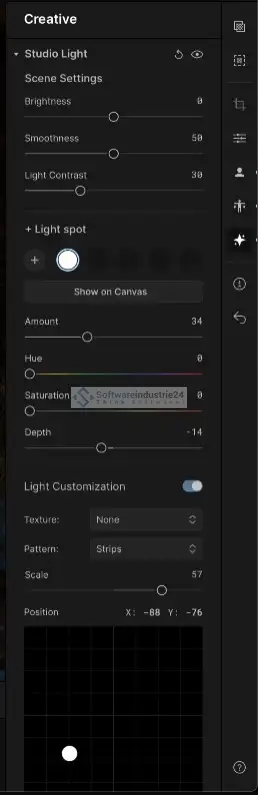
In addition to classic editing functions, Aperty offers a wide range of creative filters and effects. With just a few clicks, photos can be stylistically altered—from retro looks to artistic looks to modern color styles. This diversity opens up completely new design possibilities for photographers.
4. RAW support
For professional users, support for the RAW format is essential. Skylum Aperty allows direct editing of RAW files, ensuring the highest image quality and maximum flexibility in post-processing.
5. Intelligent image management
Aperty is not only an editing tool, but also a powerful image manager. Photos can be organized into albums, tagged with keywords, and found instantly using a quick search function. This is a decisive advantage, especially for users with large image archives.
6. Non-destructive editing with Skylum Aperty
Another plus point is non-destructive editing. Changes to images are not applied directly to the original file, but are saved in separate layers. This means that the original photo is preserved at all times and users can try out different editing versions without risking data loss.
7. Integration into existing workflows
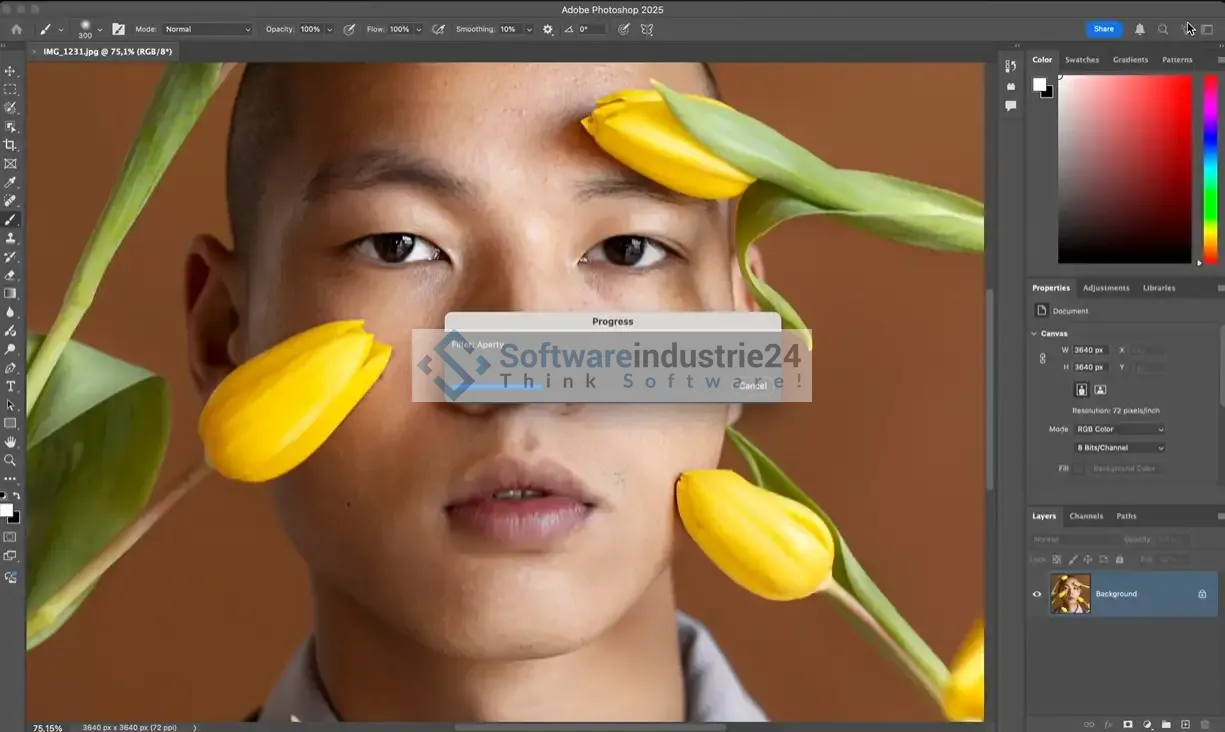
Skylum Aperty can be used as standalone software or seamlessly integrated into existing workflows. Compatibility with common operating systems and formats makes the software flexible to use—whether for private projects, social media content, or commercial photography.
Advantages of Skylum Aperty
User-friendliness of the download
One of the biggest hurdles in professional image editing is complexity. This is where Skylum Aperty comes in: the software offers an intuitive user interface that guides beginners, but does not restrict professionals. Thanks to clearly structured menus and easy-to-use tools, getting started is quick and easy.
Time savings through automation with Skylum Aperty
Especially in the digital age, where images often have to be edited in large quantities, automation saves a tremendous amount of time. Aperty automatically takes care of repetitive tasks, enabling a faster workflow. Users can focus on creative aspects while the software handles the technical details.
Professional results without expert knowledge
Even users with little experience in image editing can achieve results with Aperty that would otherwise only be possible with years of practice. The combination of AI technology and clever presets optimizes photos with just a few clicks.
Versatility
From portrait photos to landscape shots to product images, Skylum Aperty is versatile. Thanks to its wide range of features, it is suitable for photographers of all genres.
Cost-benefit ratio
Compared to many competing products, Aperty offers fair value for money. Users get a professional solution with comprehensive features without having to sign up for an expensive subscription.
Examples of how to use Skylum Aperty
Everyday photography
Whether it's vacation photos, family celebrations, or pet portraits, Aperty helps you capture memories in the highest quality. With just a few clicks, you can brighten photos, adjust colors, or remove distracting details.
Social media content
Visually appealing content is essential for influencers, bloggers, and businesses. Aperty offers a variety of filters and tools that can be used to design content in the desired style—ideal for Instagram, TikTok, Facebook, or YouTube.
Professional photography
Photo studios, wedding photographers, and event photographers benefit from the software's powerful features. The ability to edit RAW files and output photos in high resolution makes Aperty a valuable tool in the professional field.
Business and marketing
Companies can also benefit from Skylum Aperty: product photos, advertising materials, or presentation images can be optimized quickly and professionally. This increases the visual quality of marketing campaigns and websites.
Skylum Aperty compared to competing products
Many photographers use software solutions such as Adobe Lightroom, Photoshop, or Capture One. Skylum Aperty offers an attractive alternative. While Adobe programs often come with high subscription costs and have a steep learning curve, Aperty scores with a one-time license model and significantly simpler operation.
Compared to Lightroom, Aperty impresses with its AI features that automate editing steps and make it easier for beginners to get started. Compared to Capture One, Aperty stands out with its intuitive interface that requires less technical knowledge. Overall, Skylum Aperty positions itself as a user-friendly yet professional solution.
Skylum Aperty system requirements
To ensure that the software runs smoothly, the following requirements must be met:
- macOSSupported Mac models:Processor:Operating system:RAM:Storage space:Screen resolution:WindowsHardware:Processor:Operating system:RAM:Storage space:Graphics card:Screen resolution:
- At least 1280 x 768 pixels (Full HD or higher recommended)
- Compatible with OpenGL 3.3 or newer
- At least 10 GB of free hard disk space
- SSD recommended for higher speed and stability
- At least 8 GB RAM (16 GB or more recommended for best performance)
- Windows 10 or later (version 1909 or higher, 64-bit systems only)
- 8th generation Intel® Core™ i5 or better
- AMD Ryzen™ 5 or better
- Windows PC with mouse or compatible input device
- At least 1280 x 768 pixels (Full HD or higher recommended)
- At least 10 GB free hard disk space
- Use of an SSD is recommended for maximum speed
- At least 8 GB RAM (16 GB or more recommended for optimal performance)
- Compatible with the three latest versions of macOS
- 8th generation Intel® Core™ i5 or higher
- MacBook, MacBook Air, MacBook Pro, iMac, iMac Pro, Mac Pro, Mac mini (2010 or newer)
Frequently asked questions (FAQ) about Skylum Aperty
Is Skylum Aperty also suitable for beginners?
Yes, the software is specifically designed for beginners. Thanks to clear menus, AI support, and numerous presets, even inexperienced users can get started right away.
Can I use Skylum Aperty on multiple devices?
The license terms vary depending on the version. As a rule, Skylum allows installation on at least one main device. For more information, please refer to the license terms.
Does Aperty support mobile devices?
Currently, it is primarily desktop software. However, Skylum is continuously working on enhancements and updates, so mobile versions may also be available in the future.
What file formats does the software support?
Aperty supports a wide range of common formats, including JPEG, PNG, TIFF, and RAW files from numerous camera manufacturers.
Do I have to take out a subscription?
No, Skylum Aperty can usually be purchased with a one-time license. This sets the software apart from many of its competitors.
Why Skylum Aperty is the right choice as a download link
Skylum Aperty combines professional photo editing, creative freedom, and user-friendly operation in a single software package. With its use of artificial intelligence, numerous editing tools, and flexible customization options, Aperty is suitable for both beginners and experienced photographers. In direct comparison to many competing products, the software impresses with its attractive price-performance ratio and particularly intuitive handling.
For anyone who wants to optimize their photos quickly, efficiently, and at a professional level, Skylum Aperty is the ideal solution. Whether for personal use, social media, in the studio, or for corporate communications—this software creates images that inspire.


